Lab Management System is a Windows desktop application that runs on your own lab computers and keeps everything in one shared database on your own network. Reception and lab staff each see only the screens they need, every order is tracked from registration to completion, and the finished report carries your lab's name, address and logo. It is licensed per computer, and only the periodic licence check needs the internet.
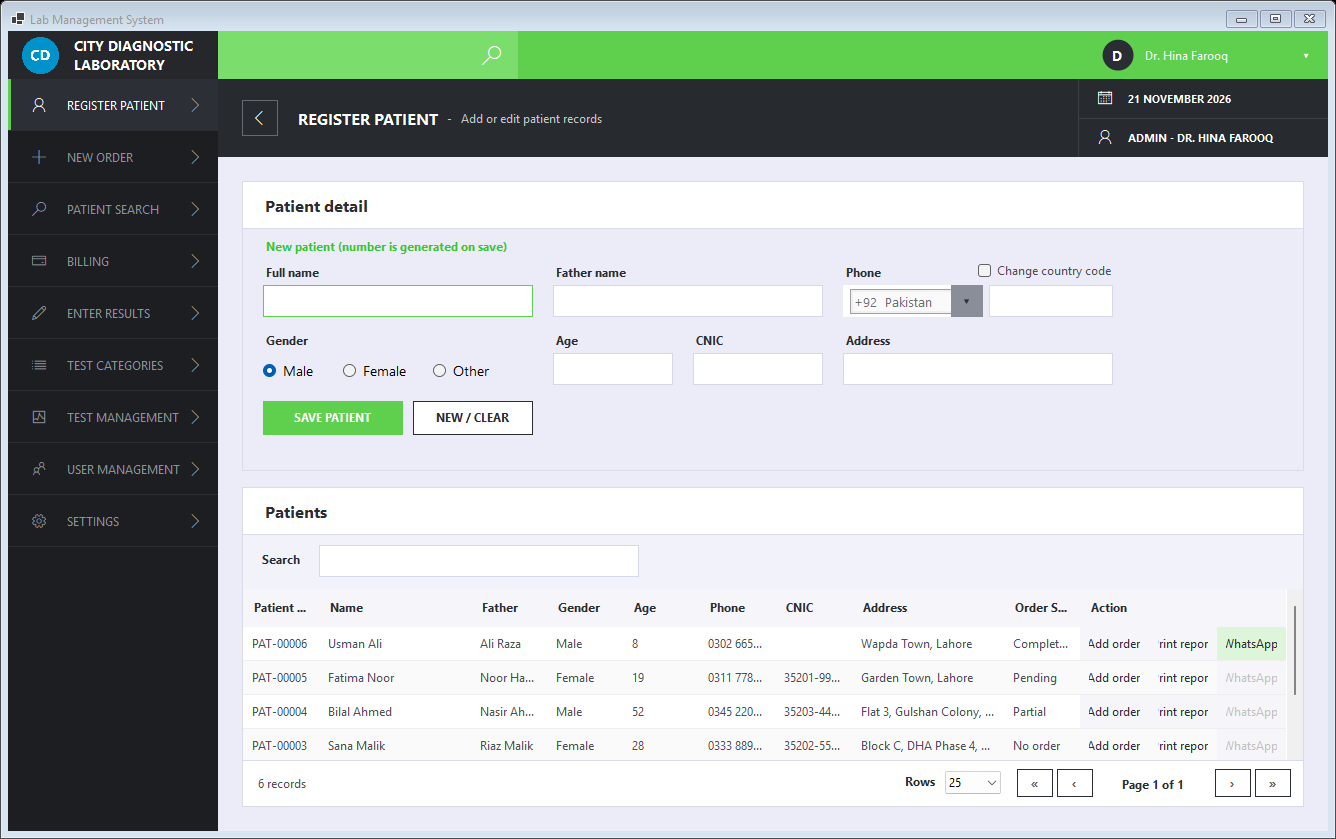
Register patients once with name, father's name, gender, age, phone, address and CNIC. Each gets an automatic number (PAT-00001) and a searchable order history, plus quick-add while creating an order.
Pick the patient, tick the tests from their categories, enter the sample ID (or add it later at the lab bench), apply a discount and save. Orders get numbers like ORD-20261119-001, with a daily sequence that stays unique across computers.
Open an order, type the results, and save part-way if you need to. Values outside the normal range are flagged automatically, and the order completes when every result is in.
Organise tests into categories with codes, units and prices. Set the normal range (or a normal text such as Non-reactive) that results are checked against, keep parameter lists with male / female ranges for tests like CBC, and import a whole catalogue from CSV.
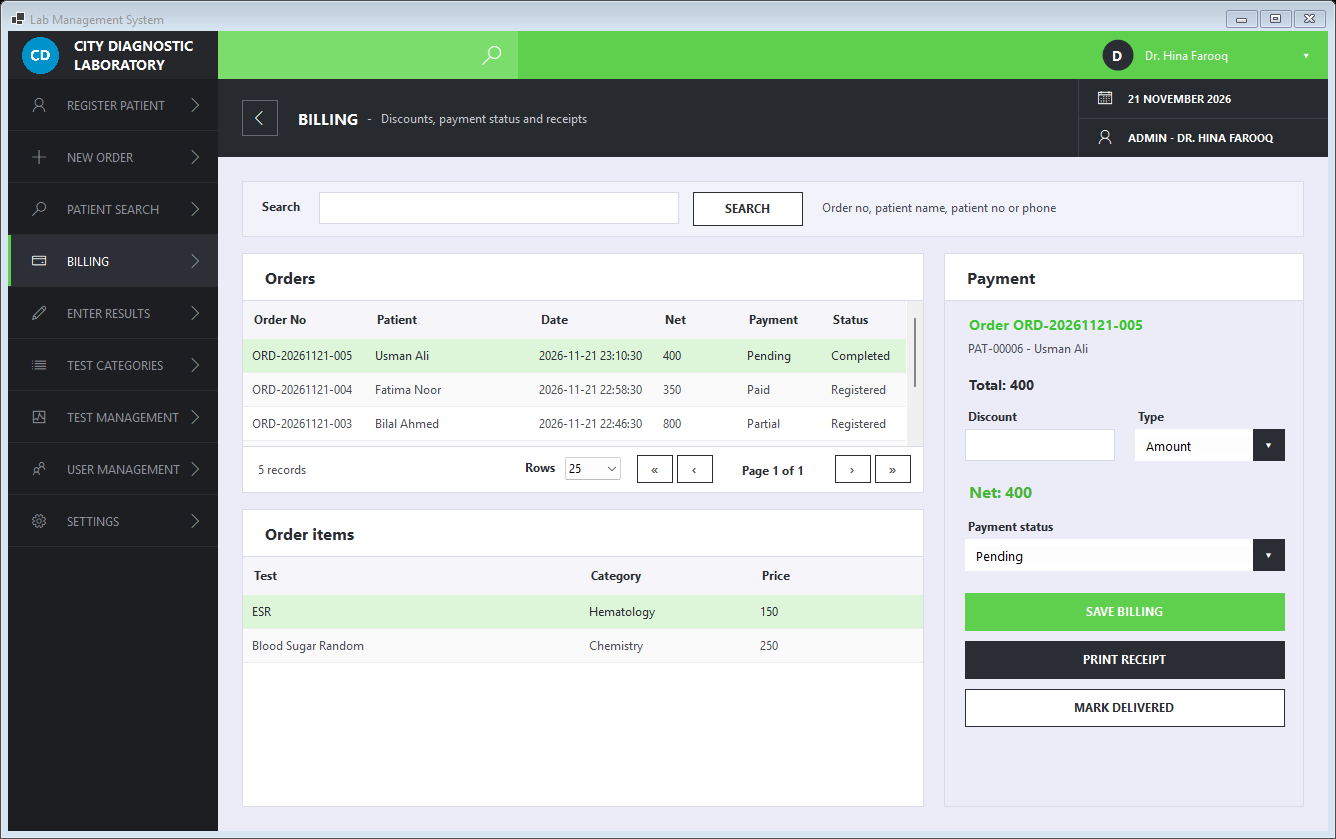
Apply discounts as an amount or percentage, track each order as Pending, Paid or Partial, and print a receipt for the patient.
Print a professional result report with your lab name, address, phone and logo, or send it to the patient as a PDF through the installed WhatsApp desktop app.
Register or find the patient, choose the tests, enter the sample ID, apply any discount and save. The patient gives their sample for testing.
Find the order, enter each result and save. Abnormal values are highlighted, and you can finish a long order later without losing what you entered.
Print the branded report from the patient list, or send it as a PDF on WhatsApp. Billing shows the payment status, and the order is marked Delivered once the report is handed over.
Real screens from the application. Click a screenshot to open it full size.
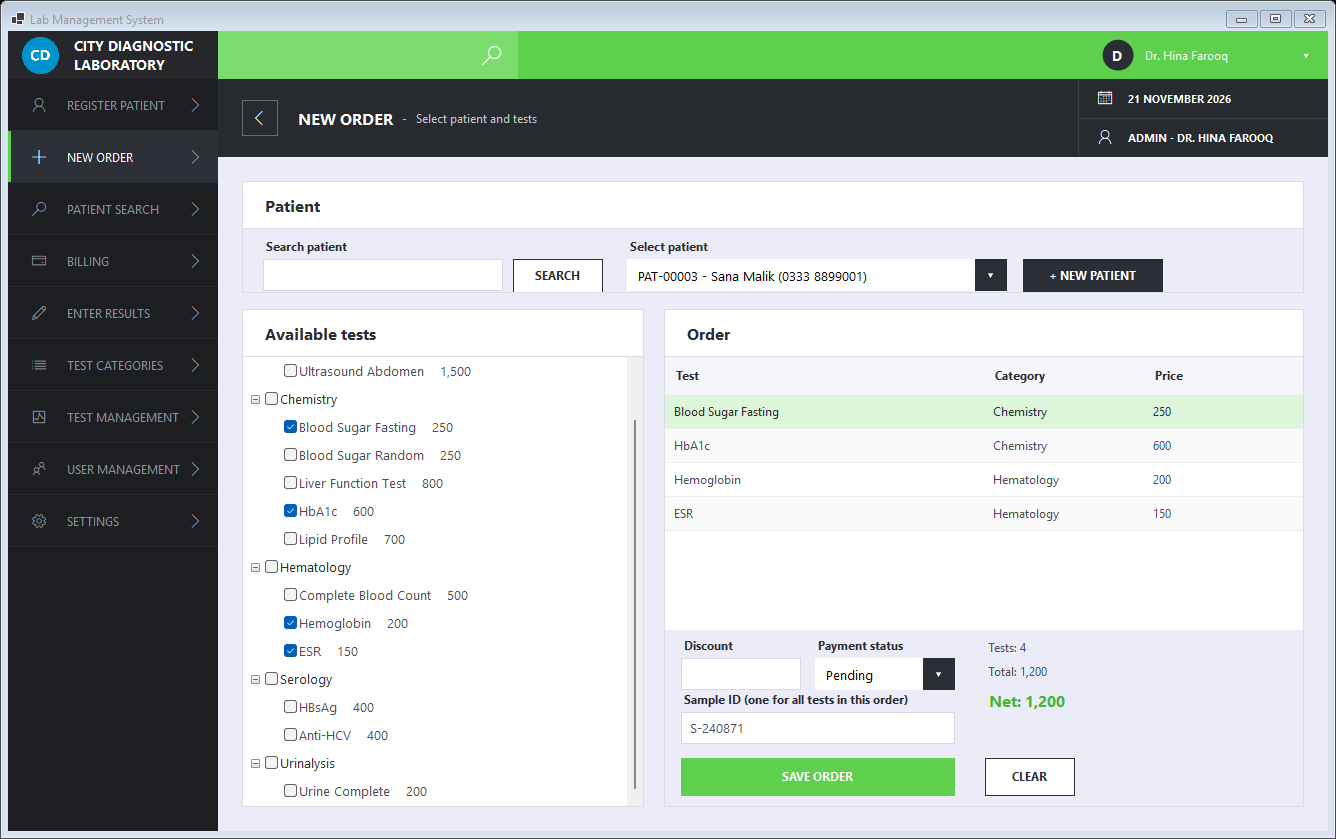
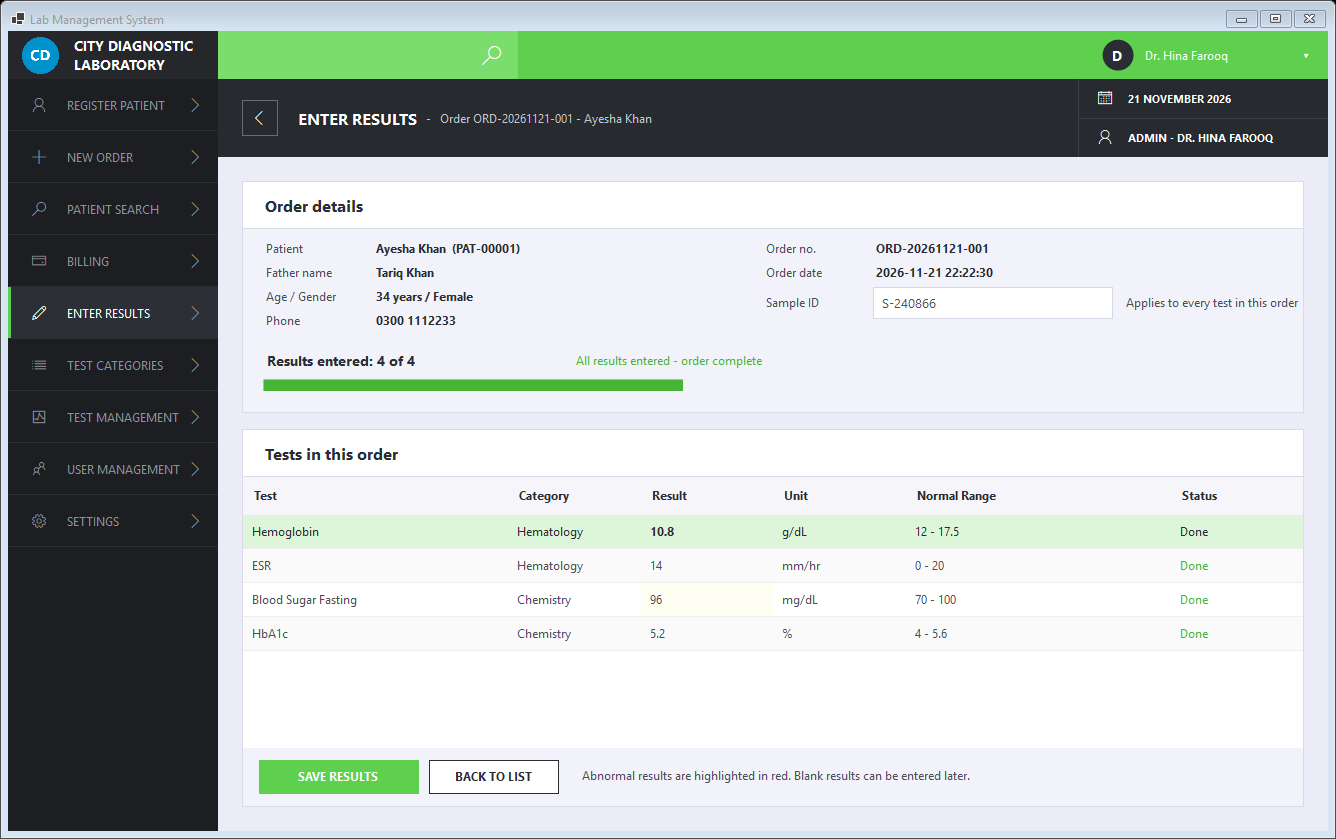
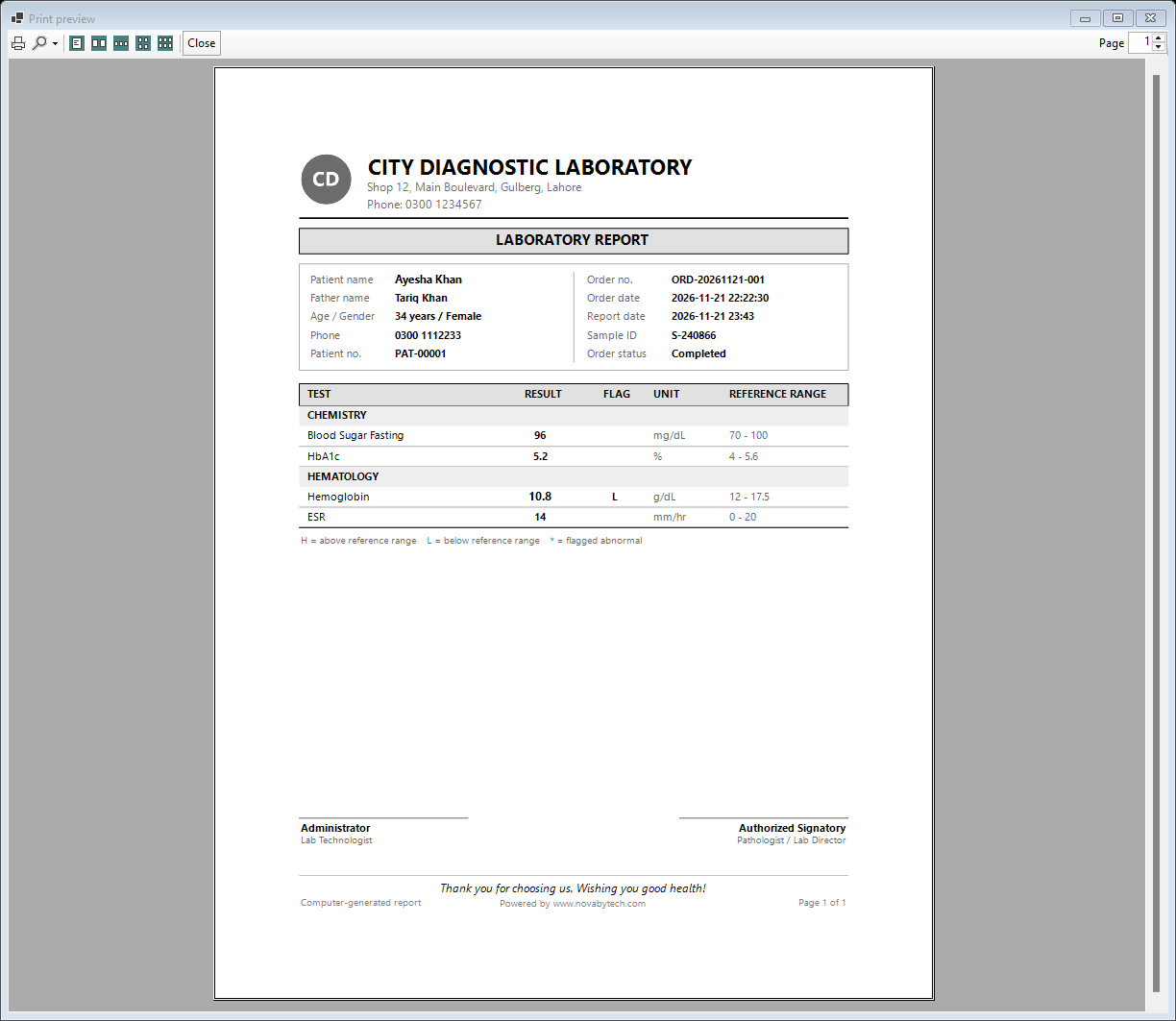
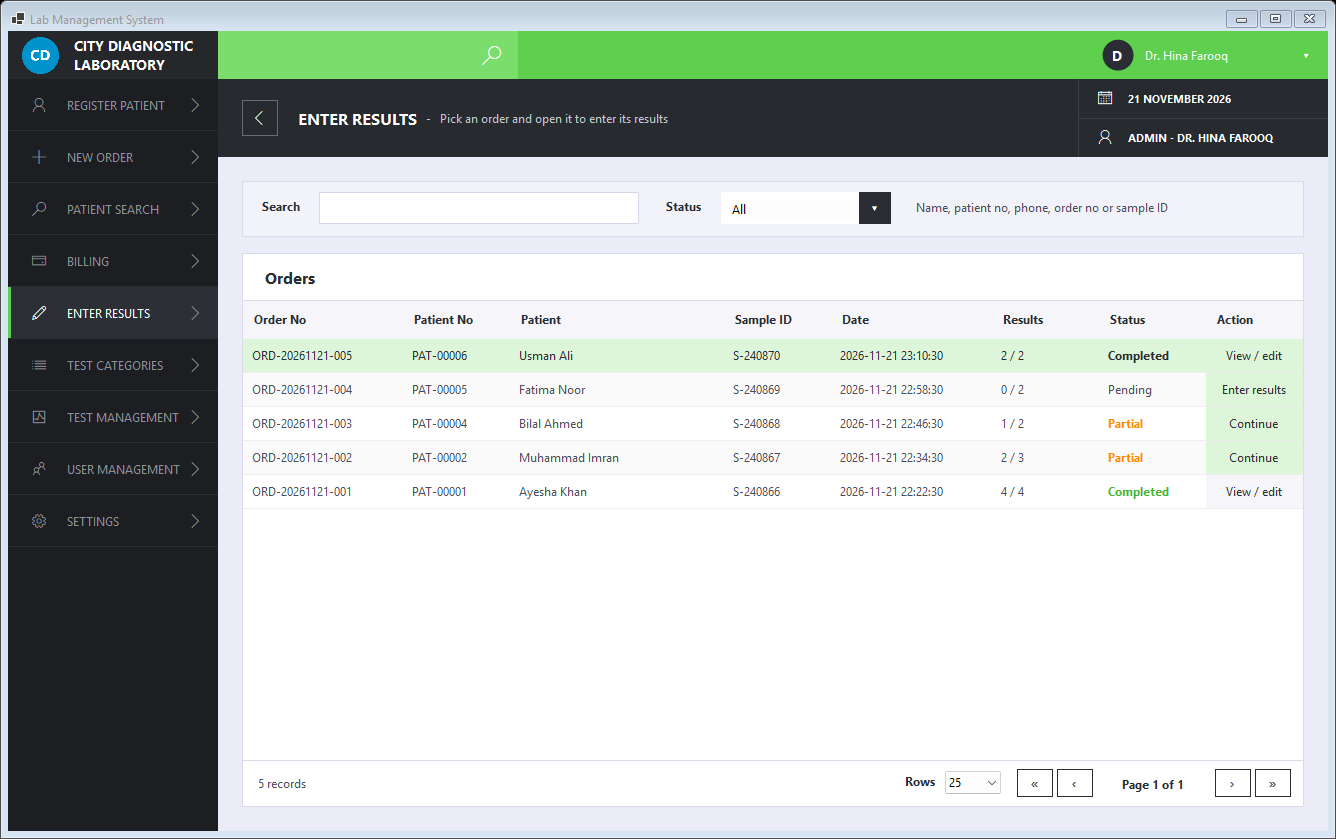
From the first patient of the morning to the last report of the day, Lab Management System covers it in one system.
Read the full user manual →Yes. One computer is set up as the lab server and holds the database; reception and lab computers connect to it over your local network. The setup installs the database for you. See the Lab Management System installation guide.
Only for the licence. The app verifies its licence online when you sign in, and keeps working for up to 7 days if the connection is down. Your patient data stays on your own network.
A MariaDB database that is bundled in the installer and set up automatically on the server computer, so there is nothing separate to download or configure. Data is kept in a folder that is not removed when you upgrade or uninstall.
Yes. With the WhatsApp desktop app installed, press the WhatsApp button next to the patient. The app creates the report PDF (using Windows' built-in Microsoft Print to PDF), opens the patient's chat with a message and attaches the PDF, and you press Send.
Yes. Admins enter the lab name, address, phone and thank-you note and upload a logo under Settings. They appear on the menu and on printed reports and receipts.
